
Schools moving to Google Workspace
Transfer Microsoft Forms into Google Forms when a class, department, or district is standardizing on Google tools.
Forms™ Migrator helps you transfer forms between Microsoft Forms and Google Forms without rebuilding questions manually. Import a form, review the converted version, and create the destination form with the structure, answer choices, and key settings kept easier to check.

Transfer Microsoft Forms to Google Forms, convert Google Forms to Microsoft Forms, and migrate forms between Microsoft and Google without copy-paste work.
Transfer Microsoft Forms into Google Forms when a class, department, or district is standardizing on Google tools.
Move forms between platforms when one team collects data in Microsoft Forms and another works in Google Forms.
Reuse onboarding, feedback, and training forms instead of rebuilding the same questions for each platform.
Convert recurring request, registration, survey, and intake forms while keeping the review step visible before sharing.
Create a Google Form or Microsoft Form from an existing form so teams can keep one form idea available in both ecosystems.
Use an import, review, create process when speed matters but questions, sections, choices, and settings still need review.
Migrate forms between Microsoft Forms and Google Forms, import form definitions in a few clicks, maintain layout and structure where supported, verify compatibility, and save time.
Convert a Microsoft Form into a Google Form when you need to move a form into a Google Workspace workflow.
Use the 2-way migration framing for teams that need the same form available in Microsoft Forms.
Handle common cross-platform form transfer needs in one migration workflow.
Bring in form content so users can start from an existing form instead of manually copying every question.
Keep the review step prominent because Microsoft Forms and Google Forms do not match perfectly on every feature.
Support question text, answer choices, order, sections, and key settings where the source and destination allow it.
Use a simple add-on flow designed for teachers, businesses, form creators, and operations teams.
Turn the process into clear steps: choose the source form, import, review, create, then share after checking.
Save time by starting from the existing form structure instead of recreating questions and choices by hand.
Inspect the add-on workflow on desktop, tablet, and mobile before you start migrating forms.
Start from the add-on interface and prepare the transfer between Microsoft Forms and Google Forms.
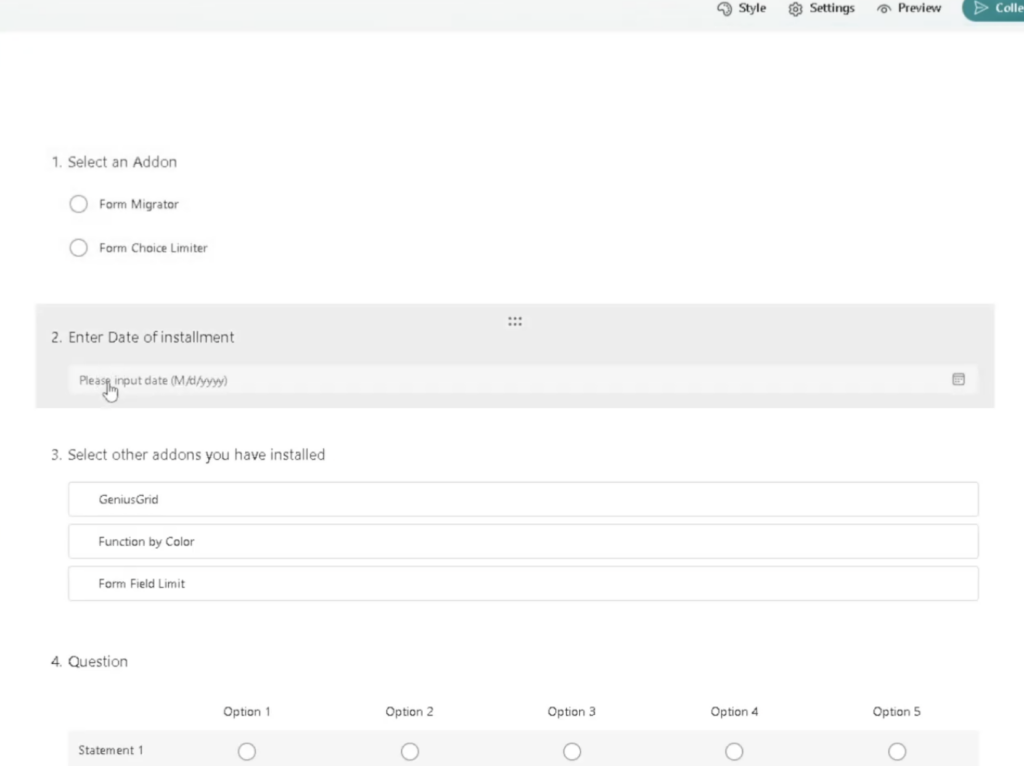
Choose the Microsoft Form or Google Form you want to transfer into the other platform.
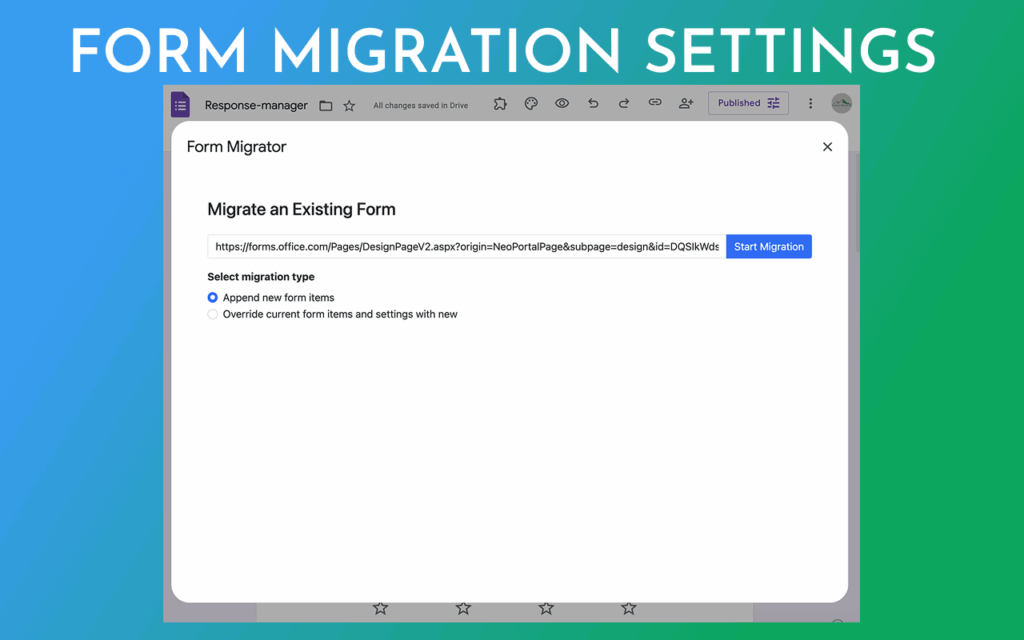
Import the form definition and prepare it for review before creating the destination form.
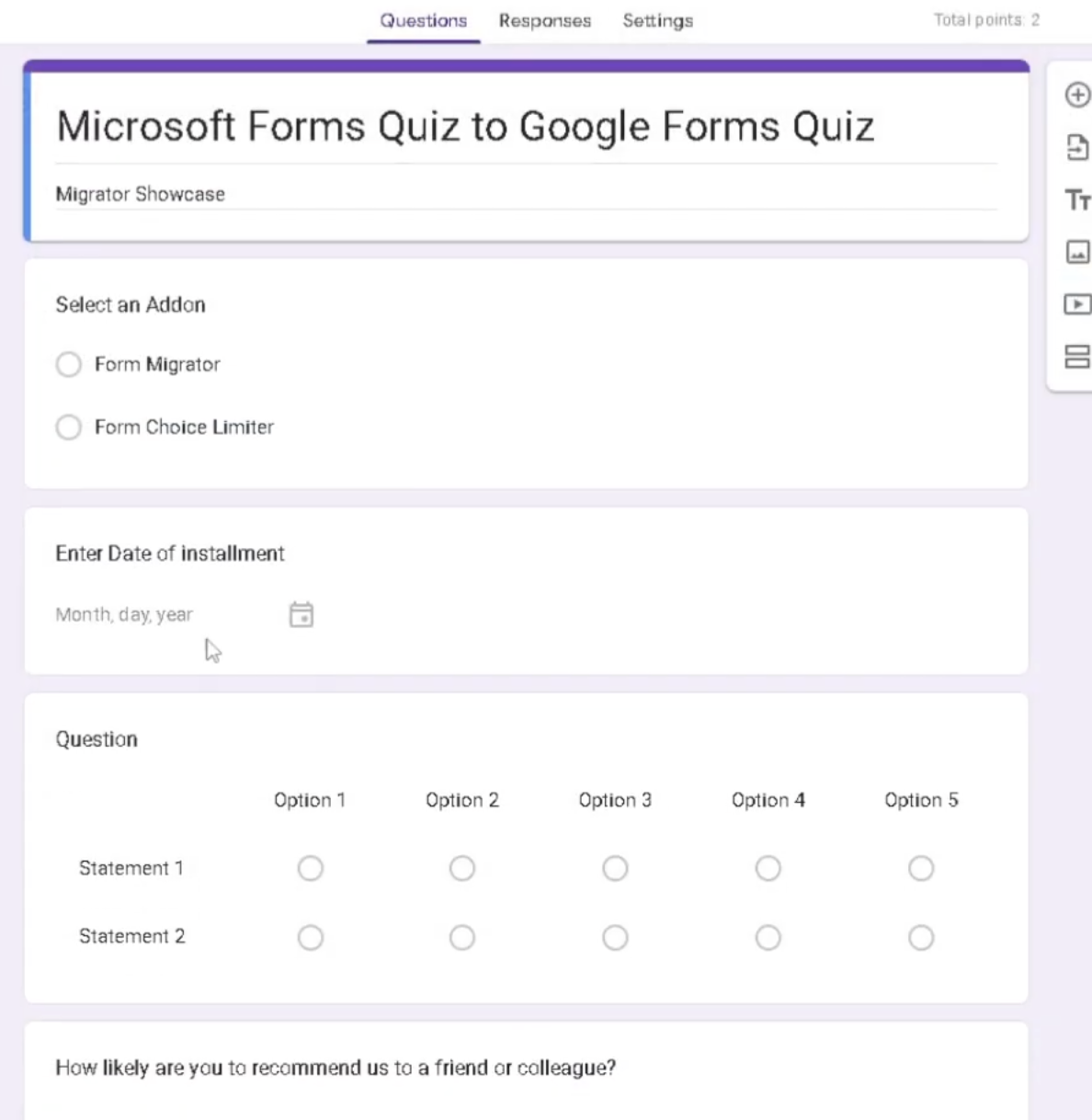
Check required questions, answer choices, sections, and important settings before publishing.
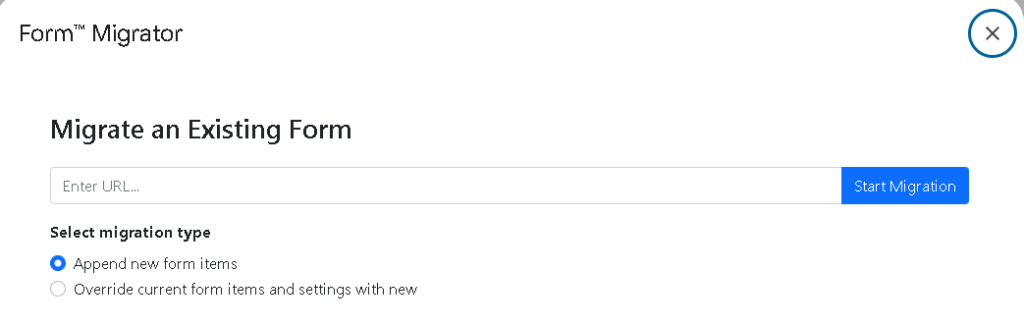
Create a Google Form or Microsoft Form after the imported version is checked.
Follow a simple flow: install the add-on, choose the source platform, import the form, review the result, and create the destination form.
Install Forms™ Migrator from the Google Workspace Marketplace listing.
Start with Microsoft Forms to Google Forms or Google Forms to Microsoft Forms depending on the workflow.
Import the form definition through the add-on instead of copying questions, choices, and sections one by one.
Check the converted version before sharing because platform differences can affect settings and structure.
Create the new Google Form or Microsoft Form after reviewing the imported content.
Confirm required questions, answer choices, sections, and key rules before sending the form to respondents.
Watch the Form Migrator workflows for transferring forms and quizzes between supported platforms.
 Watch
Watch
Transfer a Microsoft Form into Google Forms, review the imported content, and create the destination form.
 Watch
Watch
Use the reverse migration workflow to recreate a Google Form in Microsoft Forms.
 Watch
Watch
Turn an existing Google Forms quiz into a Kahoot quiz for interactive learning or training.
 Watch
Watch
Move a Kahoot quiz into Google Forms so it can be reused, assigned, and reviewed.
Quick answers about form transfer, conversion, platform migration, imported content, and review steps.
Keep the same install and policy routes available so returning users can still find the links they expect from the original page.
Install the add-on from Google Workspace Marketplace.
Step-by-step tutorial for moving a Microsoft Form into Google Forms.
2-way transfer guide covering import, review, create, and checklist steps.
Privacy details for the Forms™ Migrator add-on.
Review terms and conditions for Forms™ Migrator.
Learn how Forms™ Migrator supports cross-platform form transfer, review steps, data checks, and destination-form creation.
The Form Migration add-on streamlines transferring forms between Microsoft Forms and Google Forms when teams are switching tools or consolidating workflows.
Use it when you need to convert Microsoft Form to Google Form, convert Google Forms to Microsoft Forms, migrate forms between Microsoft and Google, or keep the same form workflow available in both platforms.
Forms™ Migrator helps reduce manual form recreation while keeping the review step central, because platform differences can affect required fields, sections, rules, and settings.
After transfer, confirm required questions, answer choices, sections, and any rules or settings that matter before sending the form to respondents.
Use cross-platform compatibility, a user-friendly interface, comprehensive data transfer, integrity assurance, consistency checks, imported form definitions, converted-form review, and destination-form creation.
Install from Google Workspace Marketplace, follow the tutorial, review the privacy policy and terms, and explore related Google Workspace add-ons whenever you need them.
Install Forms™ Migrator, import the source form, review the converted version, and create the destination form after a quick checklist.