Google Forms™ add-on

Form Choice Limiter for Google Forms™

Add limits to multiple choice, checkbox, and dropdown options in Google Forms™. When a choice reaches its response limit, Form Choice Limiter removes that option from the live form, helping you manage appointment forms, event registration, sign up form workflows, google forms sign up pages, and a google form survey without manual checking.

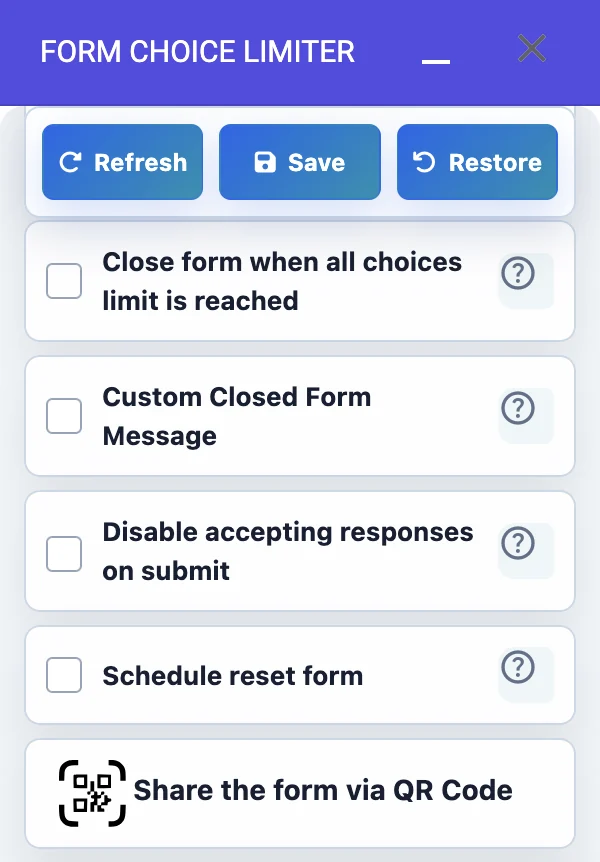
Form Choice Limiter settings for Google Forms choice limits
Set option limits Remove full choices Restore later
Best for sign up forms Use the original Google Forms™ link while limiting choices for sign-ups, appointments, and surveys.
Native Google Forms URL Choice removal at limit Email alerts and scheduled restore
5M+ Marketplace users shown on Google Workspace Marketplace
440 Marketplace reviews visible during research
Native Works with the original Google Forms™ response URL
Free trial Marketplace listing shows free-of-charge trial pricing
Choice limit guide

Use Form Choice Limiter when each answer option needs its own capacity

This Google Forms™ add-on is useful when the whole form should stay open, but specific answer choices need to close after they reach a limit. Use it to limit choices in Google Forms, limit responses per option in Google Forms, and remove Google Forms options when limit is reached.

Appointment, registration, sign-up, and survey forms

Best Google Forms™ app is for adding limits when making an appointment forms, event registration, sign up form, google forms sign up, or a google form survey using google forms.

It works as a Google Forms appointment slot limiter for meetings, classes, workshops, and service bookings. It also helps with Google Forms event registration capacity when each session, time, or option has a fixed number of available places.

This is a great tool for those who want to control the number of responses they receive for a particular option. For example, if you are scheduling appointments for a limited number of slots, you can use the Choice Limiter to ensure that you do not receive more responses than you can handle.

Similarly, if you are conducting a survey and want to limit the number of responses for a particular question, you can use the Choice Limiter to set a limit. Once the limit is reached, the option will be removed from the form, ensuring that you do not receive any more responses for that option.

Form Choice Limiter helps automate this process, saving you time and effort, and it can be configured to suit your appointment, event registration, sign-up, or survey needs.

Feature checklist

Form Choice Limiter features, video tutorials, and instructions for Google Forms choice limits, dropdown limits, checkbox limits, restored choices, email alerts, scheduled restore, and setup before publishing your form.

Use it for a Google Forms dropdown choice limit, Google Forms checkbox choice limit, native Google Forms choice limiter setup, restore removed choices in Google Forms, and schedule restore Google Forms choices when choices need to reopen later.

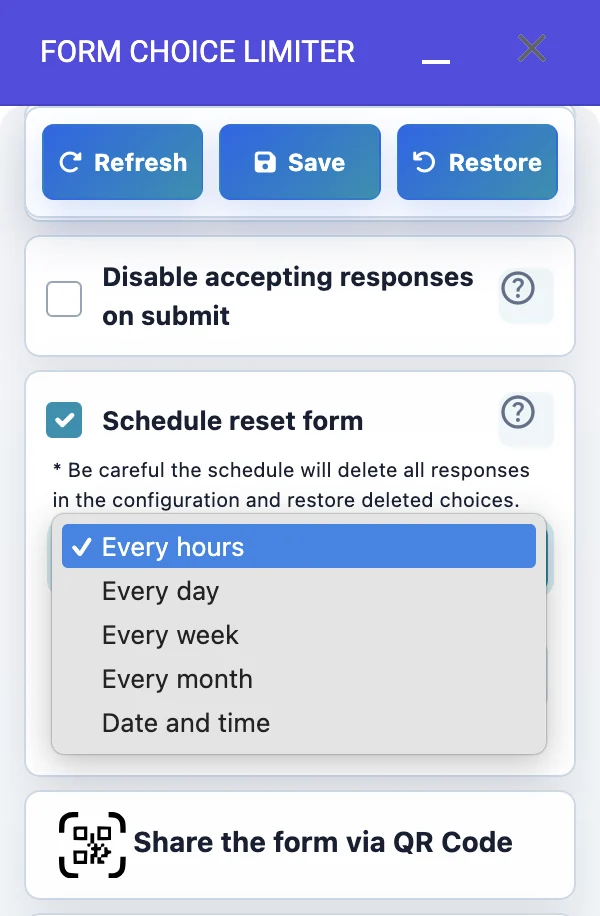
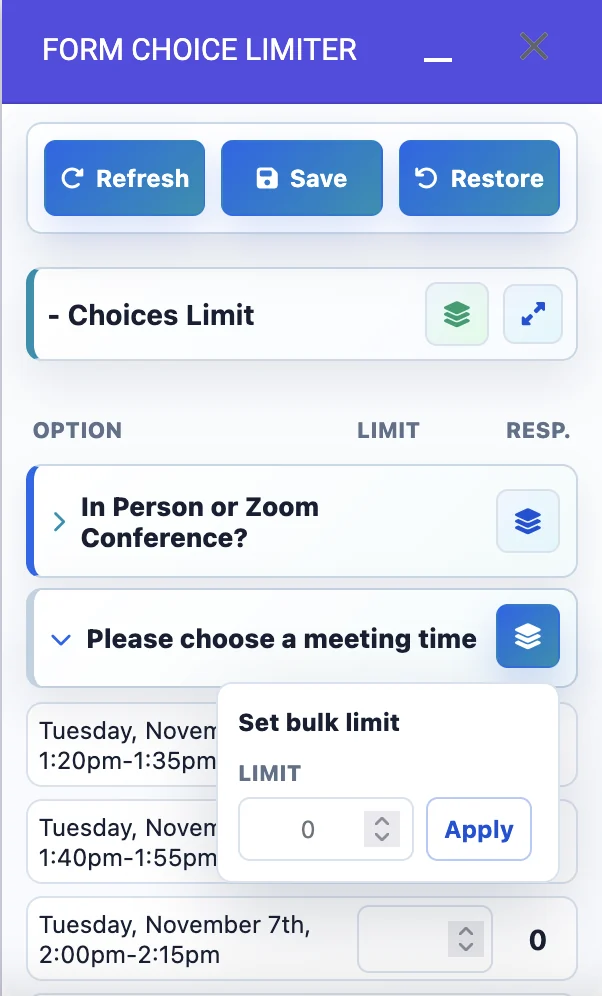
FEATURES: Set as many limits as you want for question options. Get an Email notification when the limit is reached. View how many responses there had been made for the questions. Allow for unlimited responses in your Google Forms™. Restore All deleted options. Restore Each deleted Option Individually. Custom final choice text. Apply custom limit for all choices at one click. Form QR code. Send SMS Message with a form link. Send Email with a form link and QR Code. Schedule a restore form every hour, every week, every month, or Specific Date and time.

VIDEO TUTORIALS AND INSTRUCTIONS: How to Install Form Choice Limiter. How can you easily manage appointments and set limits with Google Forms? How do I create a scheduled appointment in Google Forms Choice Limiter? Google Form Choice Limiter Best add-on For Google Forms. How to setup Form Choice Limiter. FAQ.

Popular use cases

Limit responses per option without watching the form all day

Form Choice Limiter is built for everyday Google Forms™ choice limits: appointments, event registration, Google Forms sign up pages, class slots, volunteer shifts, and surveys where each answer option has its own capacity.

01

Appointment forms

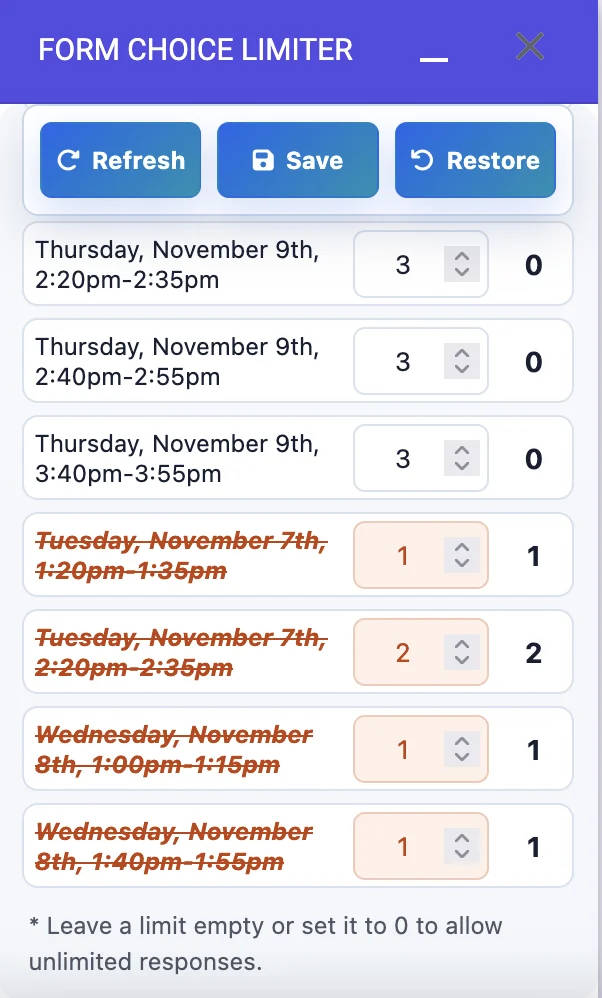
Limit each appointment slot so a time can disappear from the form when the selected response count is reached.

02

Event registration

Set capacity for sessions, workshops, rooms, or event options and reduce overbooking in Google Forms™.

03

Sign up forms

Create Google Forms sign up choices for parent meetings, volunteer tasks, fitness classes, or school activities.

04

Google form surveys

Limit how many people can select a particular survey option while allowing other choices to stay open.

Key features

Choice limits, choice removal, alerts, restore, and sharing tools

Limit response counts in Google Forms™ multiple choice, checkbox, and dropdown questions so each option stays within the capacity you choose.

LIM

Set as many limits as needed

Set as many limits as you want for question options, or leave a limit empty when that option should allow unlimited responses in your Google Forms™.

CNT

View response counts

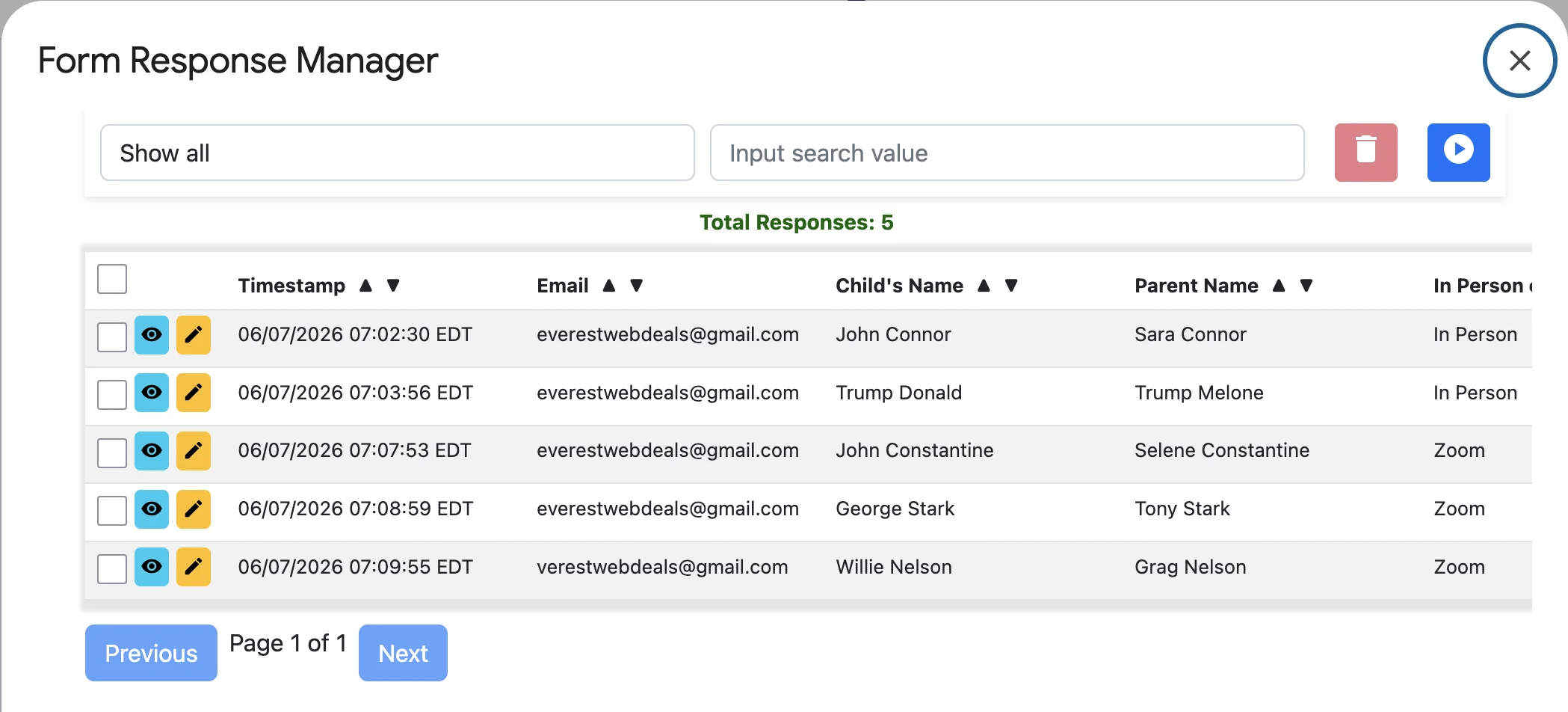
See how many responses have already been made for the limited choices so you can monitor capacity from the add-on.

ALL

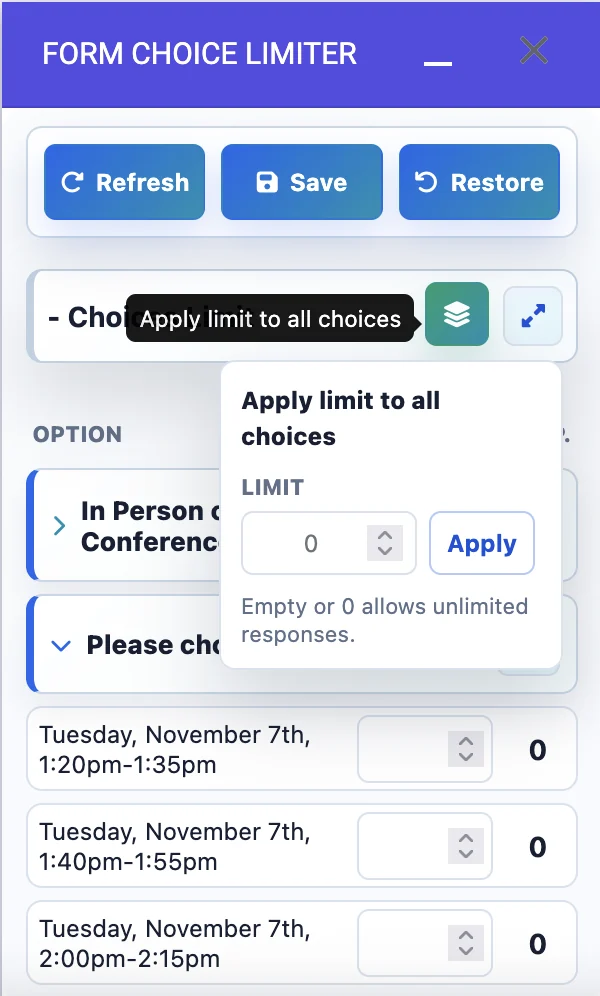
Apply one limit to all choices

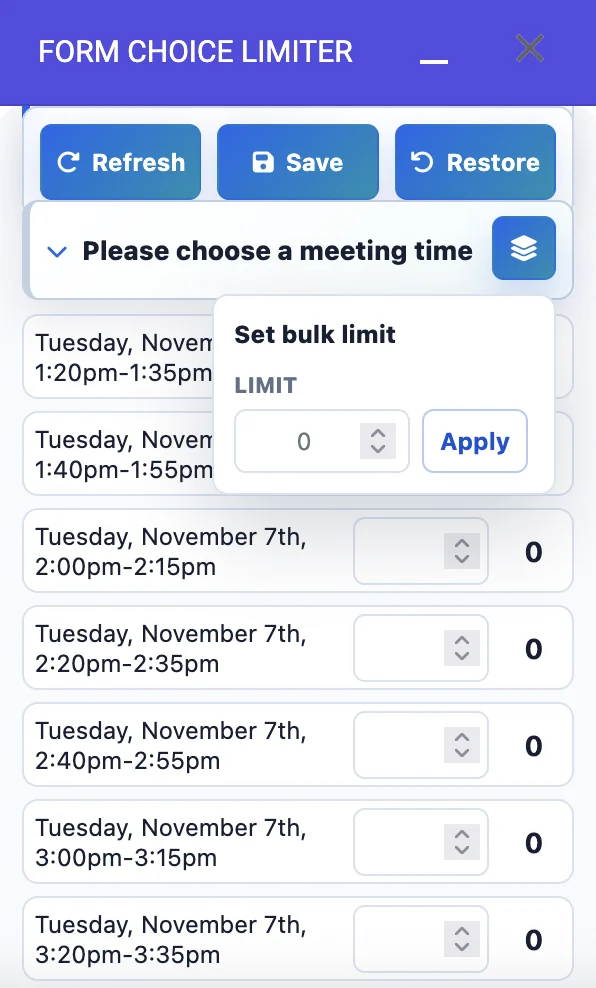
Apply custom limit for all choices at one click when every option in a question should share the same capacity.

EML

Email notification

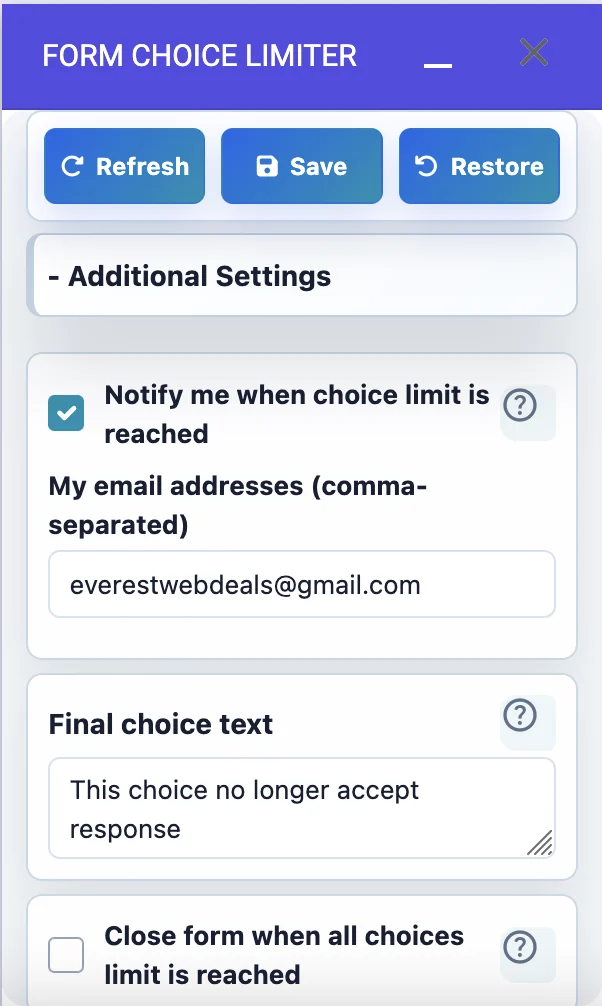
Get an email notification when a choice limit is reached, so you know when a slot, option, or selection has filled.

TXT

Custom final choice text

Add final choice text that helps respondents understand when an option is no longer available.

RST

Restore choices

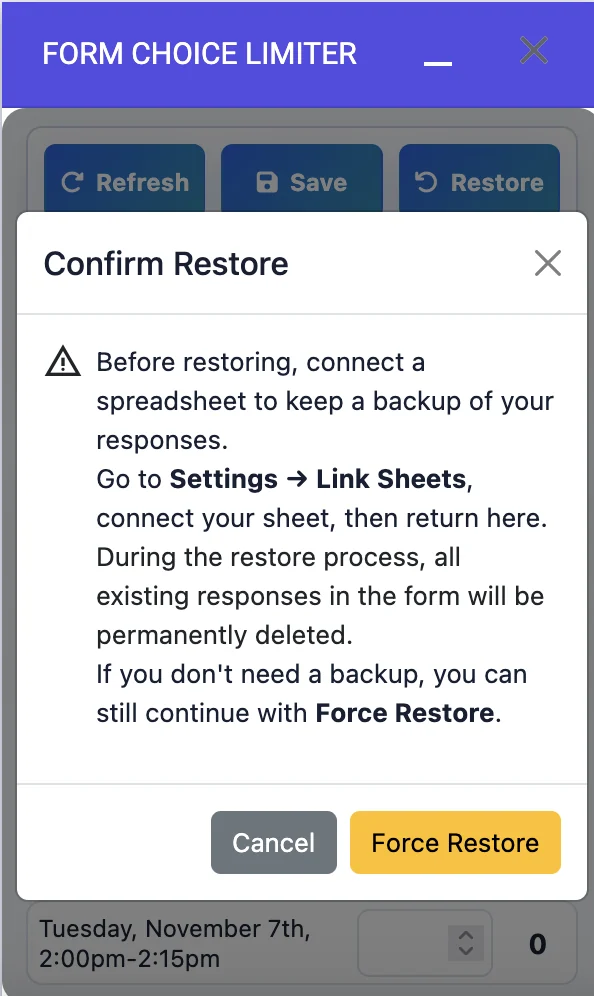
Restore All deleted options or Restore Each deleted Option Individually when you need to reopen choices.

CAL

Schedule restore form

Schedule a restore form every hour, every day, every week, every month, or at a Specific Date and time.

QR

Form QR code

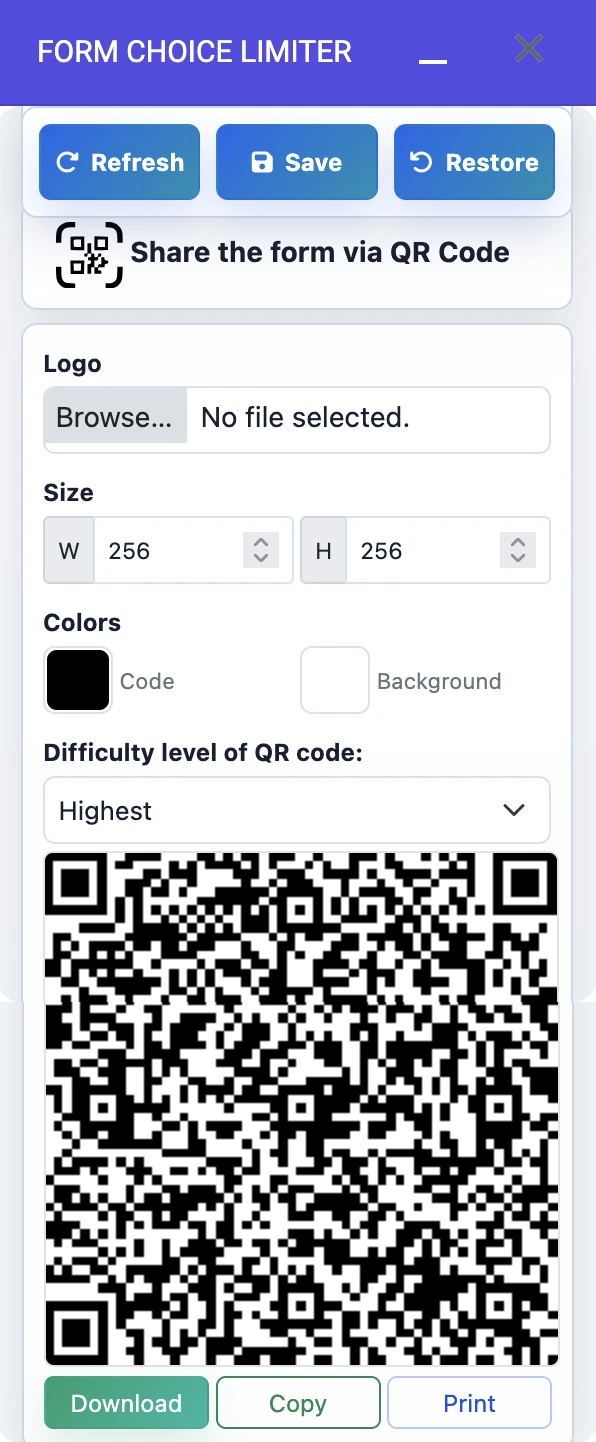
Create a QR code for the Google Form so respondents can open the sign-up form quickly from printed or shared materials.

SMS

Send SMS with form link

Send an SMS message with a form link when your registration or appointment form needs quick mobile distribution.

@

Email link and QR code

Send an email with the form link and QR code to make the response form easier to share with your audience.

How to use

Install, set limits, save, monitor, and restore choices

Install the add-on, choose the question, enter limits, save the settings, and restore or share choices when needed.

Install

Open Google Workspace Marketplace from Google Forms™ and install Form Choice Limiter.

Choose question

Select the multiple choice, checkbox, or dropdown question that needs a response limit.

Enter limits

Add individual limits or apply the same limit to all choices in one click.

Save and monitor

Save settings, refresh response counts, and let full choices be removed from the form.

Restore or share

Restore deleted options, schedule resets, or share the form by link, QR code, SMS, or email.

Choose the right limiter

Form Choice Limiter vs Choice Eliminator for Google Forms™

Everest Web Deals offers two response-limit tools: Form Choice Limiter and Choice Eliminator for Google Forms™. Compare the difference and choose the best product for your form.

Use Form Choice Limiter when you need the native Google Forms™ URL

Form Choice Limiter removes choice options after the response limit set in the add-on configuration is reached. It is easier for everyday forms that need the original Google Forms™ response link.

  • Best for standard appointment forms, sign-up forms, event registration, and surveys.
  • Supports multiple choice, checkbox, and dropdown options.
  • Works with private forms and the native Google Forms™ flow.
  • Includes email alerts, response counts, restore tools, QR code, SMS, and email sharing.

Use Choice Eliminator for high-volume or image-choice forms

Choice Eliminator for Google Forms™ uses a custom Everest Web Deals response URL and keeps unavailable choices visible as disabled or crossed-out items.

  • Better for high-volume surveys and first-come-first-served sessions.
  • Shows limit and accepted response count on the response form.
  • Supports choice options with images.
  • Recommended when exact capacity control matters more than using the native Google Forms™ URL.
FAQ

Common setup and choice limit questions

Quick answers help you decide whether Form Choice Limiter is the right add-on before you install it.

Form Choice Limiter can set limits for multiple choice, checkbox, and dropdown options in Google Forms™. It is focused on limiting response counts per option, not closing the entire form.
When the response count reaches the limit, the choice option is removed from the form so future respondents do not see that full option.
Yes. The add-on supports restoring all deleted options, restoring each deleted option individually, and scheduling form choice restores hourly, daily, weekly, monthly, or at a specific date and time.
Use Choice Eliminator for Google Forms™ for very high-volume surveys, first-come-first-served sessions, or limited inventory choices with images. Use Form Choice Limiter when you need the original Google Forms™ URL and simple native choice removal.

Ready to limit choices in Google Forms™?

Install Form Choice Limiter, set response limits for each option, and keep appointments, registrations, sign-up forms, and surveys easier to manage.

Hi, I am your personal AI assistant