
AI Quiz Generator for Google Forms™: Turn Any Document or Image into a Quiz
The ultimate AI quiz generator for Google Forms™ and chatgpt to google form converter. Convert PDF files, Word DOCX documents, Google Docs™, and handwritten test photos directly into Google Forms™ quiz questions with automatic answer key assignment, editable distractors, and 83-language support.

Use GPT Quiz Generator when the quiz content already exists
Start with lesson text, training notes, study material, articles, PDFs, DOCX files, handwritten images, or Google Docs™. The add-on turns that content into Google Forms™ quiz questions that can still be reviewed and edited.
Teacher quizzes
Turn lesson text, class notes, or reading material into editable Google Forms™ quiz questions.
Training assessments
Create employee training checks from policy documents, onboarding material, or course modules.
Online course tests
Build Google Forms™ tests from course articles, workbook sections, PDFs, or DOCX files.
Trivia and review games
Generate trivia quizzes, review questions, and practice tests for many subjects and topics.
Bulk quiz questions
Choose a question count and answer count to generate many questions faster than manual writing.
Multilingual quizzes
Generate questions and answers in supported languages for classes, teams, and international users.
Question types, counts, answer controls, AI models, and editable output
Generate questions, choose question type, control answers, edit results, and add quiz questions to Google Forms™.
Add your text article to generate questions
Paste lesson content, articles, training material, or study text and click Generate Questions.
Powered by GPT 5.6
Create quiz questions with cutting-edge GPT 5.6 and OpenAI-powered question generation.
Support 83 languages
Create questions and answers for multilingual quiz workflows in supported languages.
Multiple choice, checkbox, or dropdown
Choose the generated question type before adding the quiz questions to your form.
Choose generate questions count
Set how many questions the AI quiz generator should create from your source content.
Choose answer and correct answer count
Control answer options and correct answer count so the quiz matches the form format you need.
Edit generated questions first
Review and refine AI-generated quiz questions before they are inserted into Google Forms™.
Add generated quiz question to your Google Form
Move the curated questions into your form after the content, answers, and settings look right.
Create bulk quiz questions
Save time on larger assessments, tests, and form quizzes by generating many draft questions at once.
Paste text or load files before generating the Google Forms™ quiz
Create quizzes from flexible source material: text articles, images, handwritten content, Google Docs™, DOCX files, and PDF files.
Text articles
Paste a lesson, article, prompt, training note, or study guide and generate quiz questions from it.
Images and handwritten text
Load text from images, including handwritten content, when your source material is not already typed.
Google Docs™ and DOCX files
Generate quiz questions from documents and DOCX files without rewriting the source by hand.
PDF files
Parse text from a PDF file and use it as the starting point for a Google Forms™ quiz.
Any quiz topic
Create quizzes on history, science, online courses, student testing, trivia, or internal training.
From source content to editable Google Forms™ questions
Install the add-on, open a Google Form, add source text or files, choose question settings, generate, review, and insert.
Install the add-on
Install GPT Quiz Generator for Forms™ from Google Workspace Marketplace.
Open your Google Form
Start from the form where the generated quiz questions should be added.
Add text or load a file
Paste source text or load content from an image, Google Docs™, DOCX, or PDF file.
Choose question settings
Select multiple choice, checkbox, or dropdown, then set question count, answer count, and correct answer count.
Generate Questions
Use the AI quiz generator to create questions and answers from the source material.
Edit and add to form
Review the generated quiz questions, make changes, and add the final questions to Google Forms™.
Create questions that fit Google Forms™ quiz formats
See how generated questions can fit teacher quizzes, training assessments, review games, and team knowledge checks.
Multiple choice quiz questions
- Correct answer options
- Distractor answers
- Question count control
Checkbox questions
- Multiple answer choices
- Correct answer count control
- Editable generated output
Dropdown questions
- Compact question format
- Generated answer choices
- Google Forms™ ready
Questions and answers in supported languages
- 83 languages
- Teacher and training use cases
- International quiz workflows
Learn GPT Quiz Generator step by step
Watch how to create Google Forms™ quizzes from text, PDFs, images, and handwritten notes, then review and add the generated questions.
 Watch
Watch
GPT Quiz Generator overview
See how the add-on turns source content into editable quiz questions for Google Forms™.
 Watch
Watch
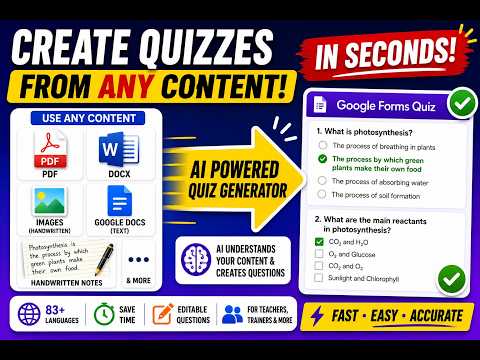
Create a Google Forms™ quiz with AI
Follow the complete workflow for generating questions, reviewing answers, and adding the quiz to a form.
 Watch
Watch
Generate quizzes from PDFs and images
Turn notes, PDFs, and image-based source material into Google Forms™ quiz questions.
 Watch
Watch
Create quizzes from handwritten notes
Extract handwritten content with AI and use it to generate editable quiz questions.
Common GPT Quiz Generator questions
Quick answers about source files, question types, editing, language support, and Google Forms™ insertion.
Install link, pricing, guide, policies, and related Google Workspace add-ons
Use these links to install the add-on, open support resources, review policies, and explore related Google Workspace tools.
Download GPT Quiz Generator
Install GPT Quiz Generator for Forms™ from Google Workspace Marketplace.
How to use AI Quiz Generator
Read the guide for creating quizzes from text, PDF, DOCX, or images.
GPT Quiz Generator subscription
View starter, flex, power, and ultra subscription information.
AI Privacy Policy
Open the AI add-on privacy policy from Everest Web Deals.
AI Terms and Conditions
Review terms for GPT Quiz Generator and related AI add-ons.
Form Quiz Timer
Use with timed Google Forms™ quizzes, tests, and controlled survey windows.
Our Other Google Workspace Add-ons
More details about using an AI quiz generator for Google Forms™
Learn how GPT Quiz Generator supports AI quiz creation, source files, editable questions, question types, and Google Forms™ insertion.
Create a quiz from existing material
AI Quiz Generator for Forms™ helps you create a quiz from text articles, Google Docs™, images, PDFs, and DOCX files. Use it as a Google Forms quiz generator, AI Quiz Maker, GPT Quiz Generator, or ChatGPT Quiz Generator for Forms™ when you need questions faster.
The quiz builder can generate questions and answers for educators, businesses, tests, online courses, students, trivia quizzes, and training workflows. After generation, edit the questions before adding them to Google Forms™.
Use the add-on for multiple choice questions, checkbox questions, dropdown questions, bulk quiz questions, answer count controls, correct answer count controls, and supported language generation.
AI quiz generator for Google Forms™
Use AI Quiz Generator for Forms™, AI Quiz Maker, GPT Quiz Generator for Forms™, and Chat GPT Quiz Generator to build Google Forms quizzes, generate questions, create quizzes, and prepare ChatGPT tests.
Generate quizzes with GPT 5.6, OpenAI, text articles, images, handwritten images, Google Docs™, DOCX files, PDF files, multiple choice, checkbox, dropdown, editable questions, and 83 languages.
Install from Google Workspace Marketplace, review subscription details, follow the guide, open policy information, and explore related add-ons whenever you need them.
Ready to generate quiz questions for Google Forms™?
Install GPT Quiz Generator for Forms™, add source text or files, choose question type and counts, generate questions, edit the output, and add the final quiz questions to your Google Form.