
Clean and Format Data
Fix inconsistent formatting, standardize numbers, and clean messy values.
Find and Remove Duplicates
Find duplicates in Google Sheets even when values look different.
Fix Spreadsheet Errors
Detect formula issues and get AI explanations with fixes.
AI Spreadsheet Agent
Use simple prompts to fill blanks, run bulk sheet tasks, and preview AI results.
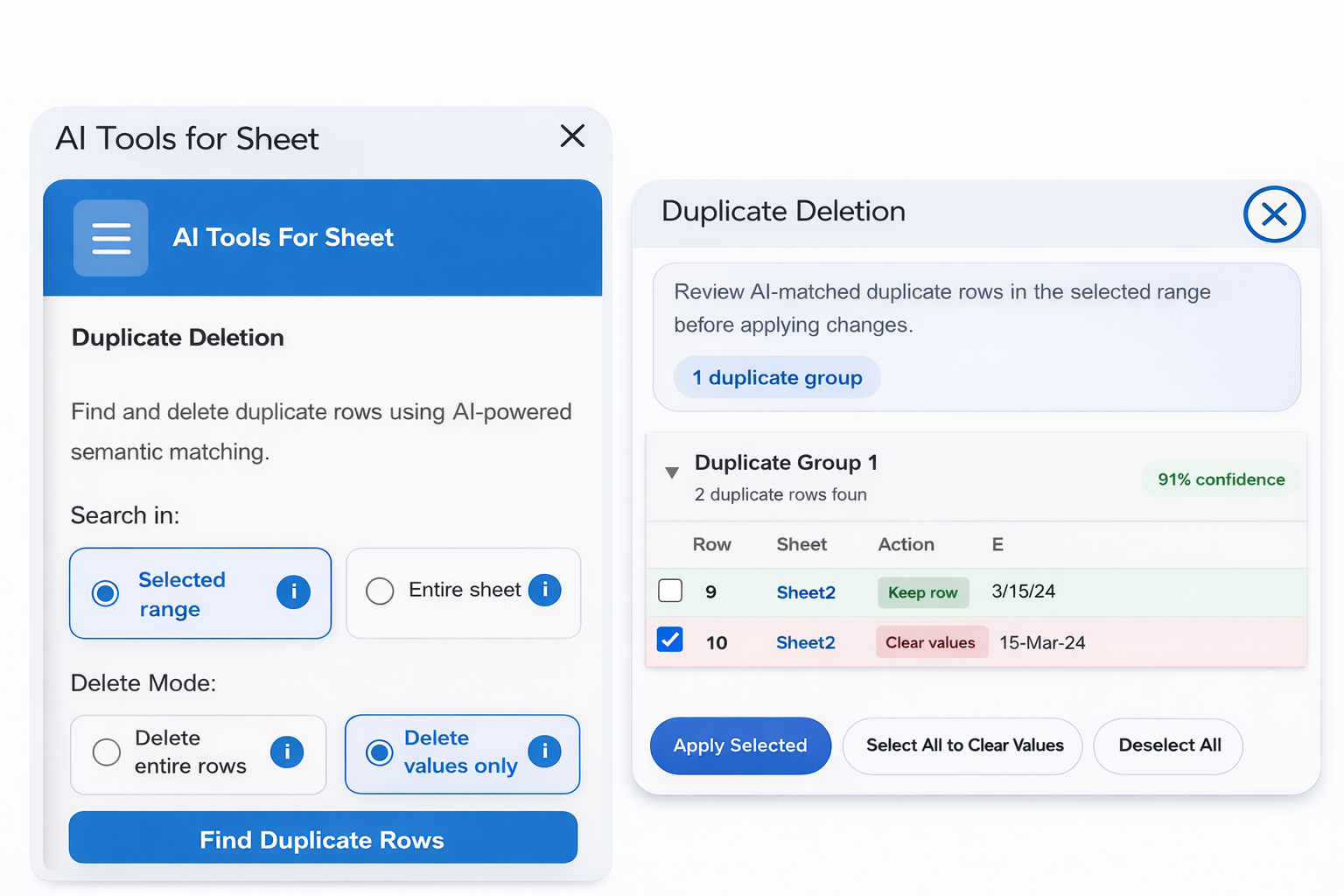
Detect and Remove Duplicates Easily
Find duplicates in Google Sheets even when values are written differently. AI Tools can detect:
- Similar values near duplicates
- Formatting differences
- Extra spaces or special characters
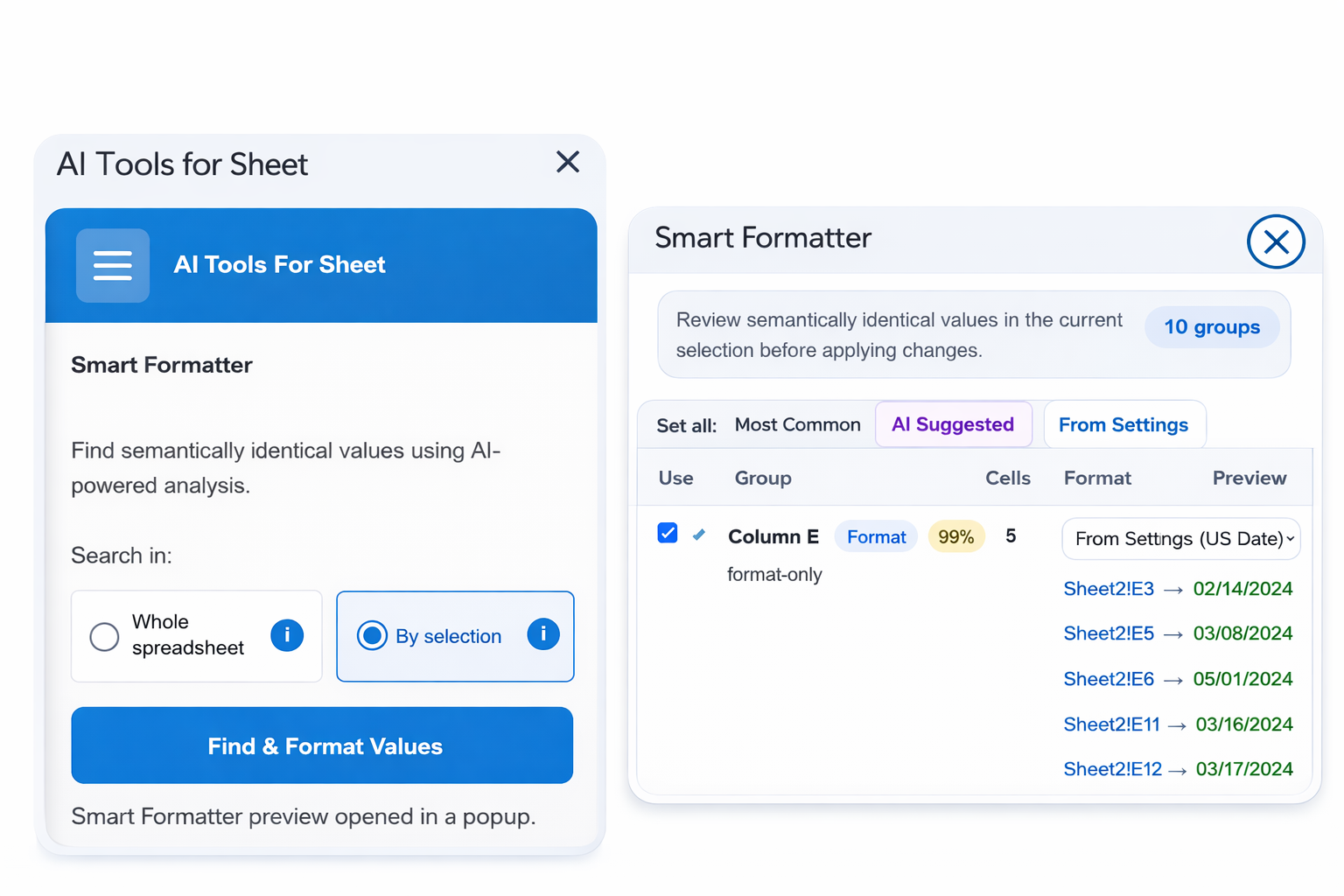
Clean and Format Data Automatically
Standardize messy spreadsheets in seconds.
- Numbers stored as text
- Incorrect decimal separators
- Inconsistent currency formats
- Inconsistent capitalization
- Extra spaces and special characters
- Messy emails and phone numbers
AI Spreadsheet Agent for Bulk Sheet Tasks
Use plain-language prompts to complete spreadsheet tasks faster. Instead of fixing cells one by one, tell the AI Spreadsheet Agent what you want to do, review the suggested results, and apply only the changes you approve.
- Fill blank cells using surrounding spreadsheet data
- Run bulk cleanup and formatting tasks from one prompt
- Generate missing labels, categories, summaries, or values
- Preview AI-generated results before applying them
- Keep control by reviewing changes before they update your sheet
Example Prompts You Can Use
Ask the AI Spreadsheet Agent in simple words, just like giving instructions to an assistant.
- Fill empty product categories based on the product names
- Clean this customer list and standardize phone numbers
- Find missing emails and mark rows that need review
- Summarize long notes into short action items
- Format this sheet so it looks clean and consistent
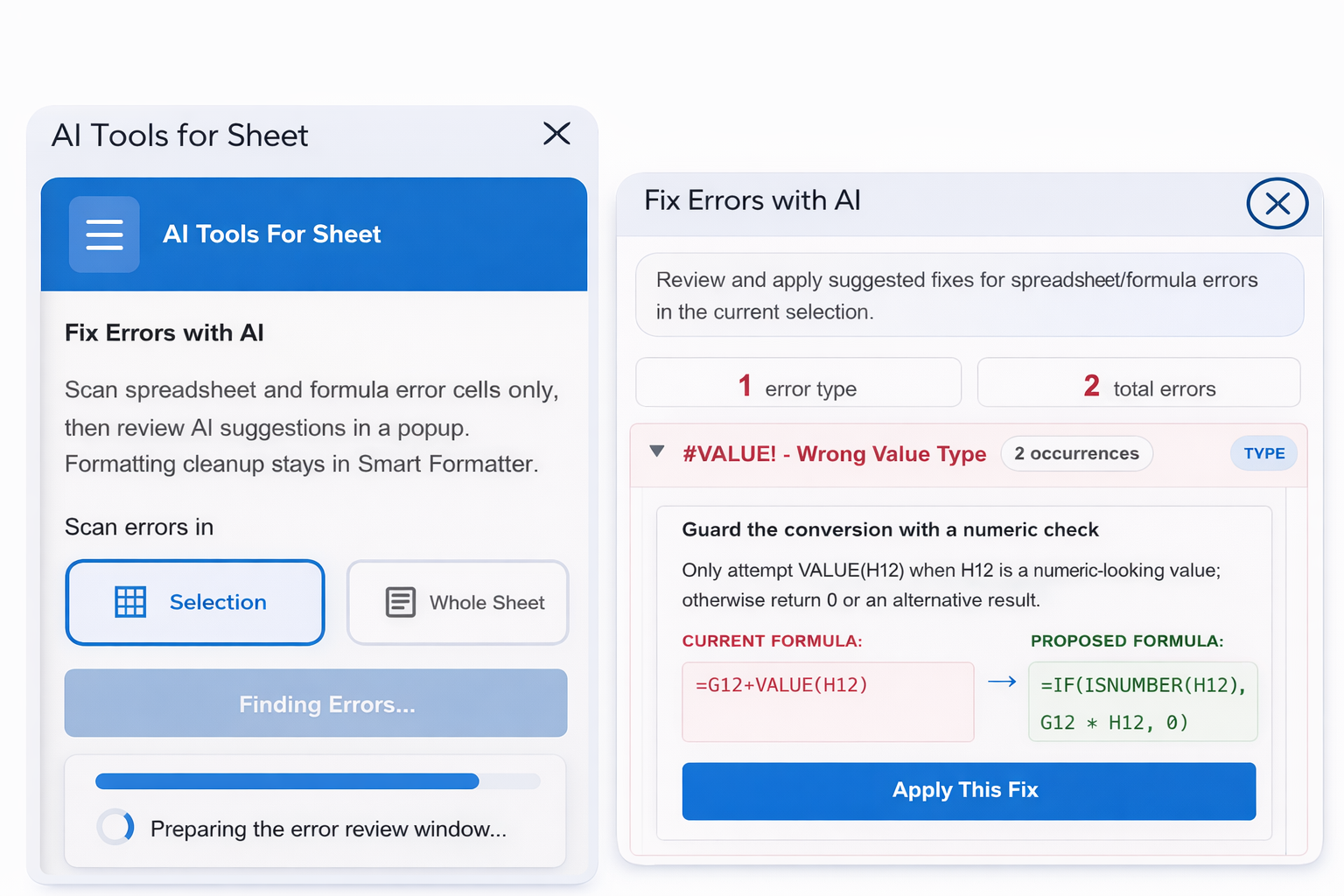
Fix Spreadsheet Errors with AI
Automatically detect and repair issues:
- Formula errors and broken formulas
- Incorrect cell references
- Formatting inconsistencies
Generate Google Sheets Formulas with AI
- Describe what you want in plain English
- AI generates the correct formula
- Works like ChatGPT for Google Sheets
Explain Google Sheets Formulas
- Understand complex formulas instantly
- Break down formulas step by step
- Learn while you work
Who Uses AI Tools For Google Sheets?
Business Professionals
Automate tasks and organize data.
Finance Teams
Clean financial data and remove duplicates.
Accountants
Standardize numbers and fix formatting.
Data Analysts
Prepare datasets faster for analysis.
Students
Learn formulas and organize assignments.
Everyone
Works with Google Sheets, Excel, and spreadsheets.
Get Started with AI Tools For Google Sheets
Install the add-on and start cleaning, organizing, and automating your spreadsheets with AI.