
Duplicate rows can make reports inaccurate, create repeated records, and reduce trust in your spreadsheet. AI Tools For Excel helps you detect and remove duplicates in Excel faster while giving you more review control before anything is deleted.
- ✅ Works inside Microsoft Excel
- ✅ Preview before delete
- ✅ Delete rows or values only
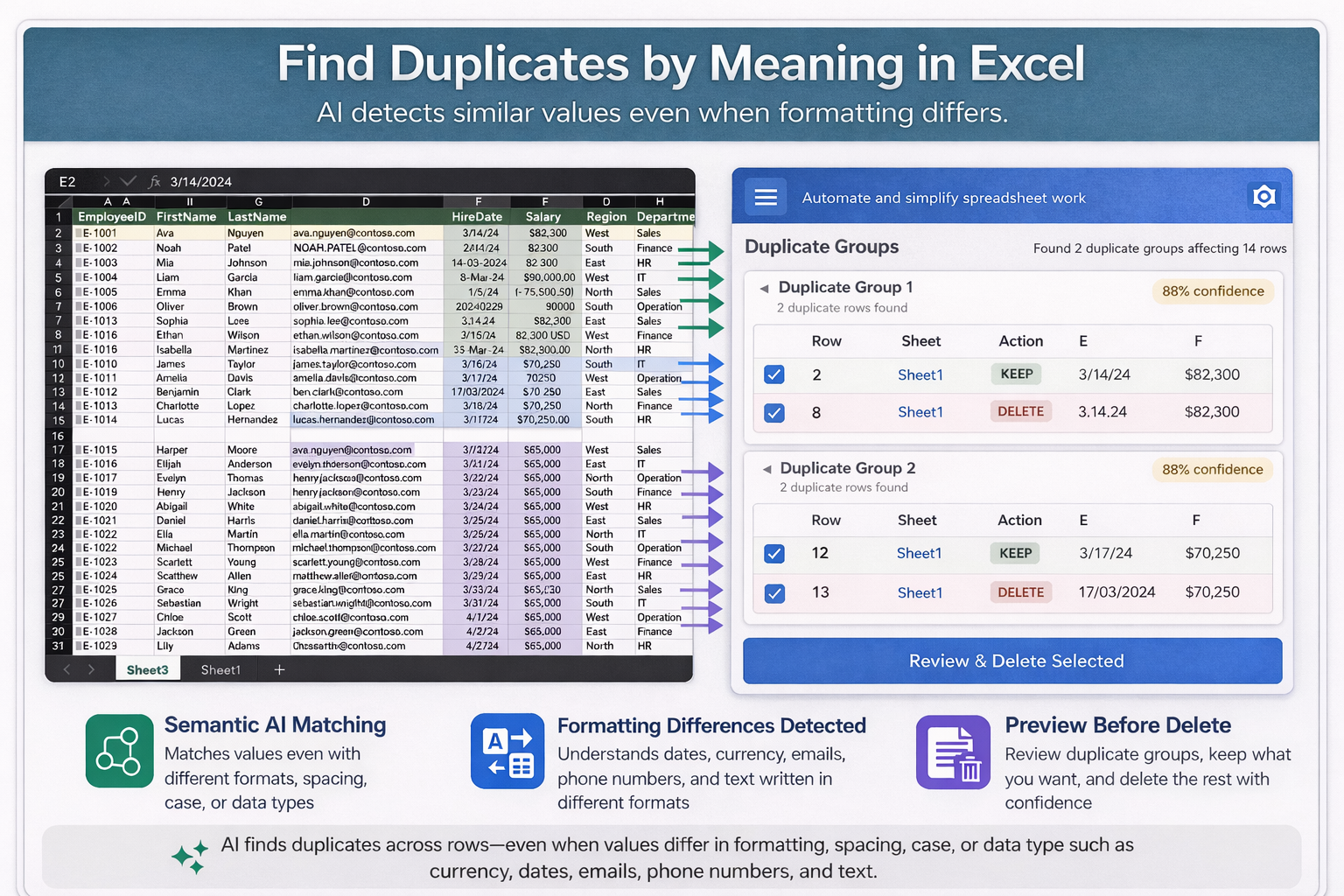
Why duplicate rows happen
Duplicate data often appears when information is copied from multiple files, imported from another system, or entered more than once.
Some duplicates are obvious. Others are harder to catch because values may look different due to formatting, spacing, symbols, or slight wording changes.
The result is simple: duplicate data makes your spreadsheet less reliable and harder to manage.
What makes it different from standard duplicate tools
Many Excel duplicate tools focus only on exact matches. AI Tools For Excel is designed to give users a safer, more flexible workflow for reviewing duplicates before removal.
Preview before delete
Review duplicate groups before applying changes so you can see what will stay, what will be removed, and avoid accidental data loss.
Delete rows or values only
Choose whether to remove entire duplicate rows or clear duplicate values while keeping the worksheet structure intact.
Semantic duplicate detection
Detect duplicates based on meaning, not only exact text matches, which helps catch rows that look different but represent the same record.
Handles spacing and formatting differences
Better for messy data where duplicates may include extra spaces, number formatting differences, currency variations, or similar row content.
Grouped review
Duplicates are grouped together for easier review, which makes large cleanup tasks more manageable.
Confidence-based review
Confidence indicators help users understand how likely records are duplicates before confirming deletion.
How it works
The Duplicate Deletion feature in AI Tools For Excel helps users:
- scan a selected range or the full worksheet
- find duplicate rows in Excel faster
- review grouped matches before deletion
- choose the delete mode that fits the task
Why it helps
Instead of sorting and checking rows manually, users can clean worksheets faster and with more confidence.
- Easier to review
- More accurate cleanup
- Safer than instant deletion
- Better for large spreadsheets
Why removing duplicates in Excel matters
This is especially useful when you need to find duplicate rows in Excel or remove duplicate entries in Excel after copy-paste work, imports, or repeated manual entry.
If your spreadsheet contains repeated rows, copied records, or duplicate entries, the problem is not only appearance. The bigger issue is accuracy. A cleaner worksheet is easier to trust, easier to analyze, and easier to use.