
Can I transfer Microsoft Forms to Google Forms—or Google Forms to Microsoft Forms?
Yes. A 2-way form transfer is possible, and it can save hours compared to rebuilding the same form question by question.
Whether you’re switching platforms, merging workflows across teams, or managing forms for school and business, Forms™ Migrator helps you migrate forms between Microsoft Forms ↔ Google Forms with a simple import → review → create process.
How to transfer forms (2-way)
Microsoft Forms → Google Forms
Select your Microsoft Form
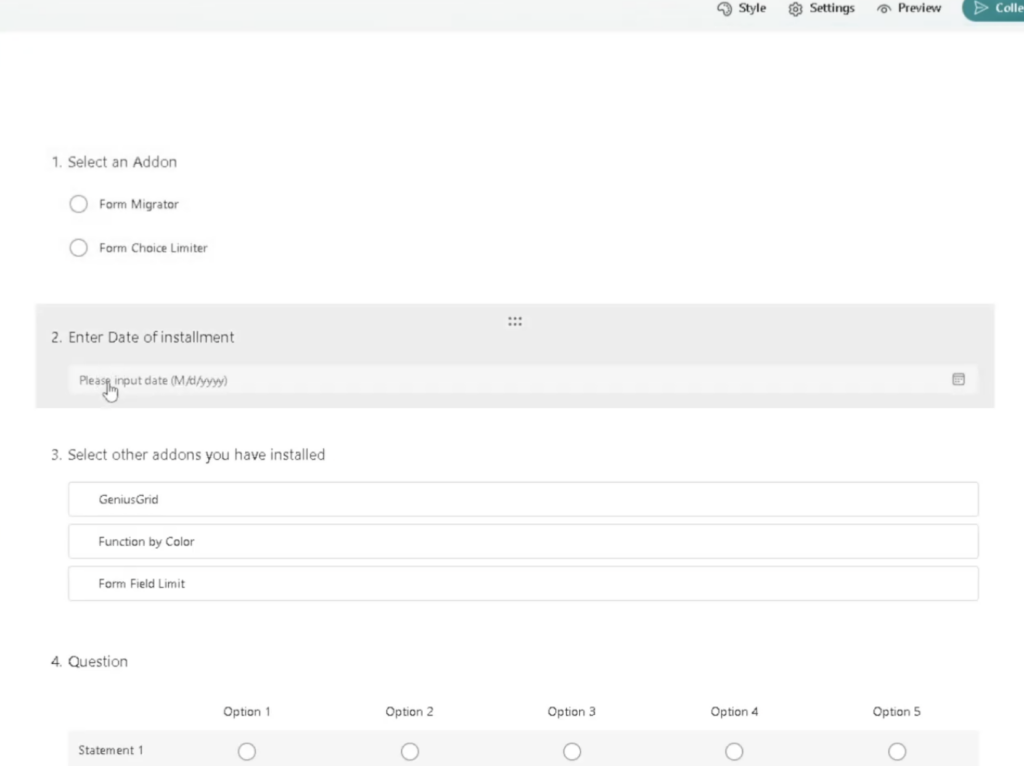
2. Import into Forms™ Migrator
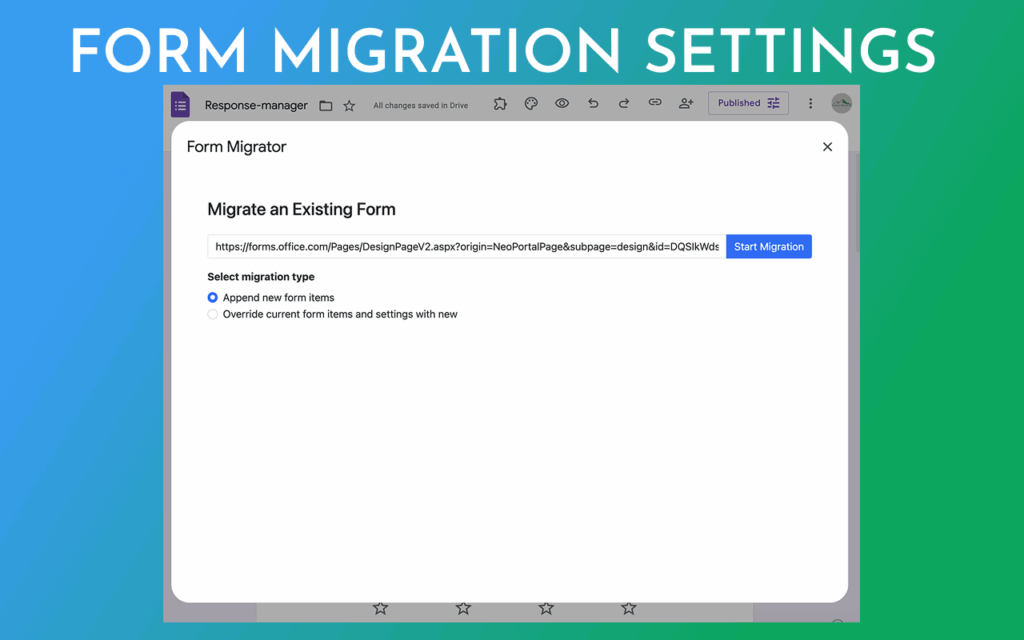
3. Review the converted form
4. Create your Google Form
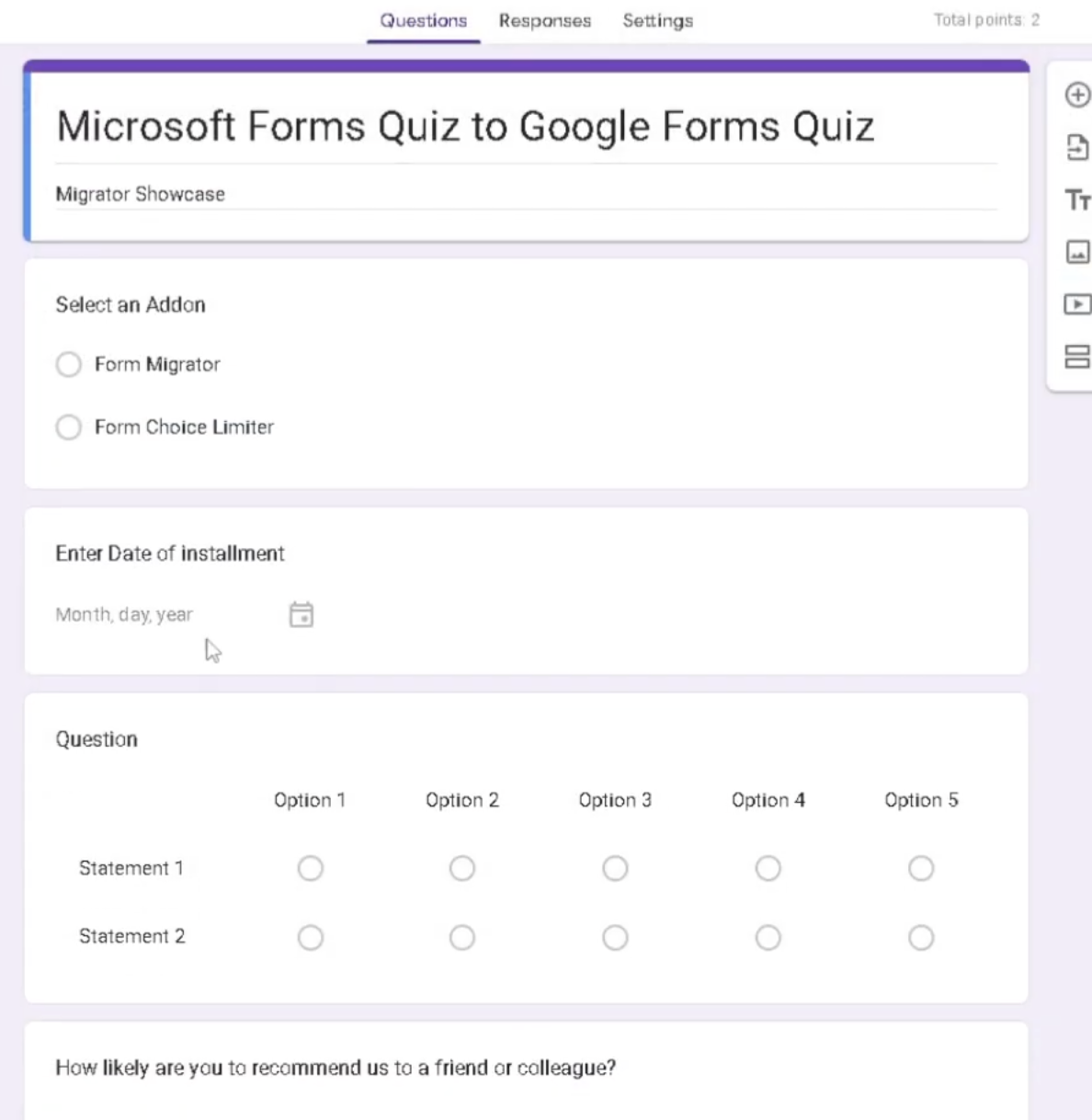
Google Forms → Microsoft Forms
-
Select your Google Form
-
Import into Forms™ Migrator
-
Review the converted form
-
Create your Microsoft Form
🎥 Watch the tutorial:
Why people transfer forms between Microsoft and Google
Most users transfer forms for one of these reasons:
-
A school district moved to Google Workspace
-
A company uses Microsoft 365 but a team uses Google tools
-
HR/Training wants one standard platform
-
You need the same form in both systems
What transfers well (and what to double-check)
A form transfer usually preserves:
-
Question text and order
-
Sections (when supported)
-
Required fields (when supported)
Always review after transfer because Microsoft Forms and Google Forms don’t match 100% on every feature. A quick check prevents mistakes.
60-second review checklist (recommended)
Before you share the new form, confirm:
-
Required questions
-
Answer choices
-
Sections and flow
-
Any rules/settings that matter
Ready to try a 2-way form transfer?
If you’ve been searching:
-
“transfer Microsoft Forms to Google Forms”
-
“convert Google Forms to Microsoft Forms”
-
“migrate forms between Microsoft and Google”
This guide (and Forms™ Migrator) is made for that workflow.
✅ Install Forms™ Migrator