A versatile timer for Google Forms™ add-on for timed quizzes, online tests, and time-limited surveys.

Google Forms™ is great for quizzes and surveys—but timing often requires manual work. Form Quiz Timer helps you add a real timer, schedule start/end times, limit attempts, and auto-close the form, so your tests stay fair and your surveys stay time-bound.

👉 Download Form Quiz Timer:  Form Quiz Timer for Google forms

🎥 Watch tutorial: How To Add Time Limit In Google Form Quiz

With Form Quiz Timer you will

Set a time limit for Google Forms™ quizzes
Run a timed quiz by setting the duration in minutes.

Schedule start and end times (auto open / auto close)
Open the form at a specific time and close it automatically to prevent late submissions.

Limit the number of attempts
Reduce repeat submissions and keep graded tests fair.

Show custom messages (open / active / closed)
Display clear messages for participants at every stage.

Share faster with a QR code
Let students or respondents scan and start instantly.

Why Form Quiz Timer is useful

✅ Give students a fixed time (example: 20 minutes) ✅ Auto open at 9:00 AM and auto close at 9:30 AM ✅ Run timed training assessments for employees ✅ Collect time-sensitive survey responses fast

Key Features of Form Quiz Timer for Google Forms™

✅ Set Quiz Duration (Timer in Minutes)
Set a time limit for a timed quiz in Google Forms™. If duration is blank or 0, the quiz runs without a timer.

✅ Schedule Start Time (Auto Open)
Schedule your Google Forms quiz start time for online classes and exams.

✅ Schedule End Time (Auto Close)
Close a Google Form automatically at a specific time to prevent late submissions.

✅ Limit Number of Attempts
Limit attempts to reduce repeat submissions and keep graded quizzes fair.

✅ Custom Messages (Open / Active / Closed)
Show your own messages when the form is closed, active, or finished.

✅ QR Code Sharing
Share your Google Form by QR code so participants can scan and start quickly.

✅ Automated Start and Stop
Your quiz opens and closes based on your schedule—no manual work.

👉 Download: Form Quiz Timer for Google form
What participants will see

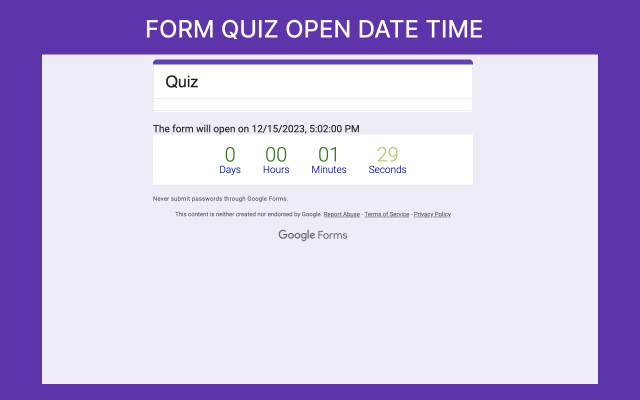
1) Before the quiz opens
Students see the open time and a countdown.

form quiz2

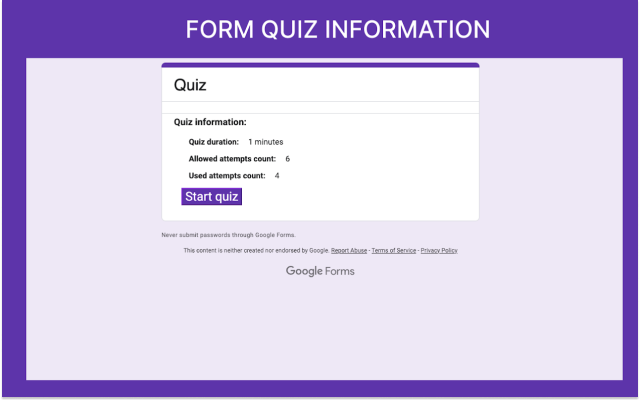
2) Quiz information screen
Shows quiz duration and allowed attempts before starting.

form quiz3

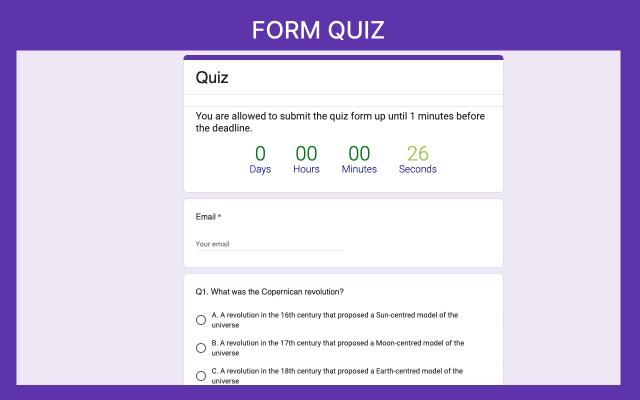
3) During the quiz
A visible timer helps participants track remaining time.

form quiz

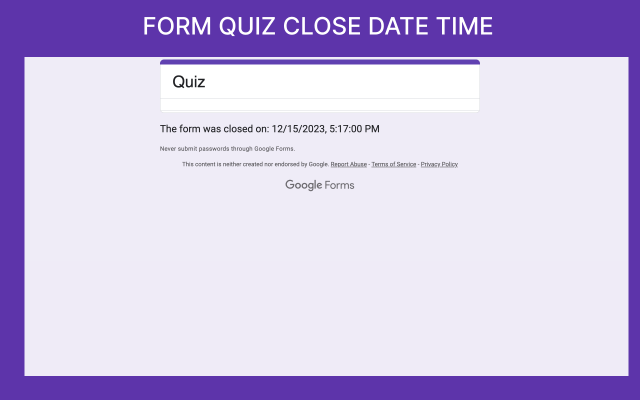
4) After the quiz closes
The form stops accepting responses automatically.

form q2

Best Use Cases

Form Quiz Timer works great for:

  • Google Forms™ classroom quizzes

  • timed online exams

  • training assessments

  • certification quizzes

  • time-limited Google Forms™ surveys

  • “quiz on quiz” learning method

Instruction: How to Install Form Quiz Timer

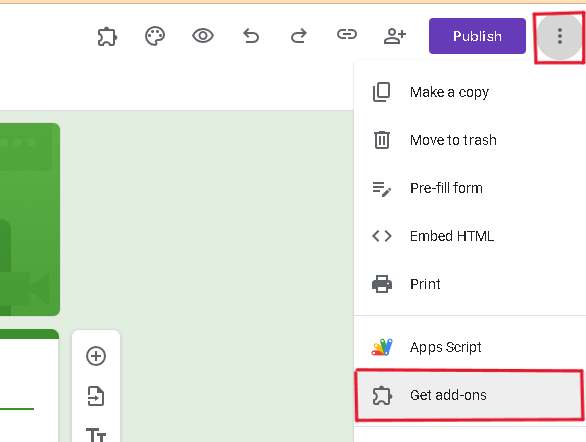
  • Click Extensions → Add-ons
Image 10-7-25 at 12.00 PM
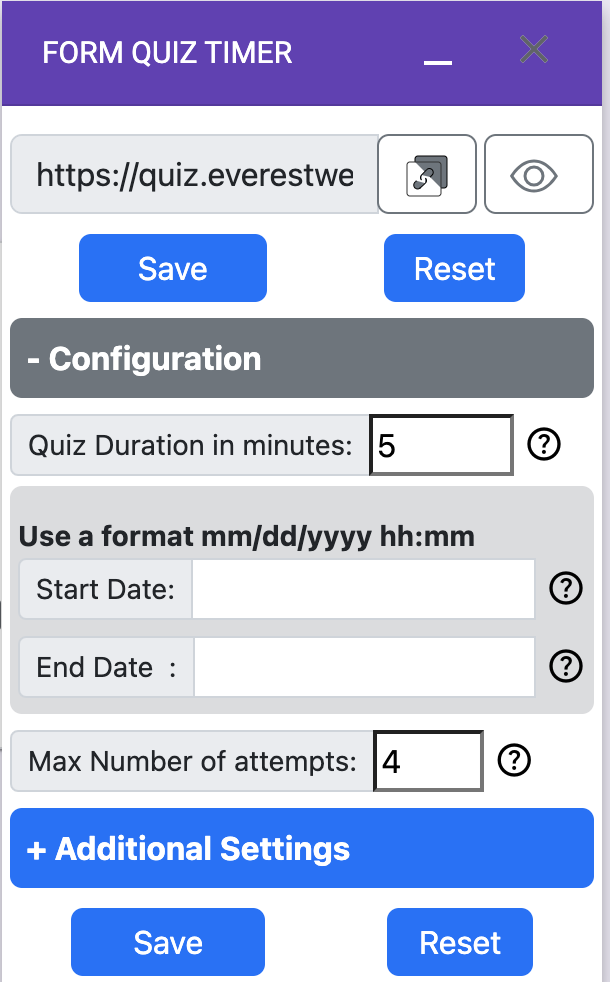
  • Open the add-on settings

  • Set timer duration + start/stop schedule (optional)

  • Save and run your quiz

Ready to run timed quizzes and surveys?

👉 Download : Form Quiz Timer for Google forms

FAQ

Q: Can I use this add-on for surveys too?
Yes. It works for Google Forms™ surveys and quizzes.

Q: Can I run the quiz without a timer, but still schedule start/stop?
Yes. Set duration to 0, and only use scheduling.

Q: Does it help prevent students from taking extra time?
Yes. It makes the test more fair by setting a fixed duration

Hi, I am your personal AI assistant